
Your cart
Your cart is empty
Continue shoppingDrawer menu

Eolas Prints is part of the ideaMaker Open Filament Program, so tested print profiles for our filaments install straight into Raise3D's ideaMaker slicer. In ideaMaker, open Library, filter Brand Name to "Eolas Prints", pick a material, click "Import to ideaMaker", and download — then select it from the materials drop-down. Full walkthrough below.
We have facilitated the process of printing our materials on the renowned RAISE3D printers by including print profiles in the slicer, ideaMaker. All our materials have been tested and approved by RAISE3D and are available as part of their Open Filament Program. In this post we are going to see how we can download these print profiles for ideaMaker.
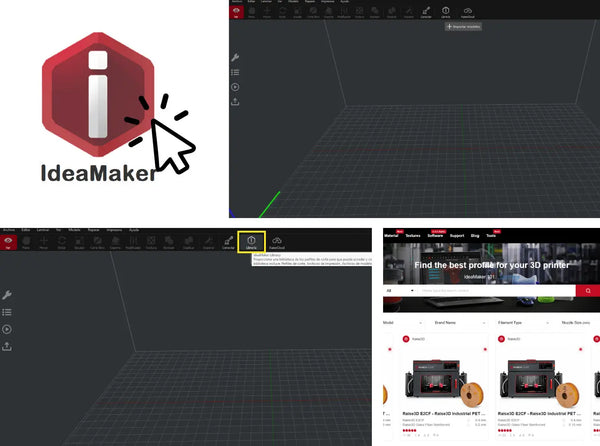
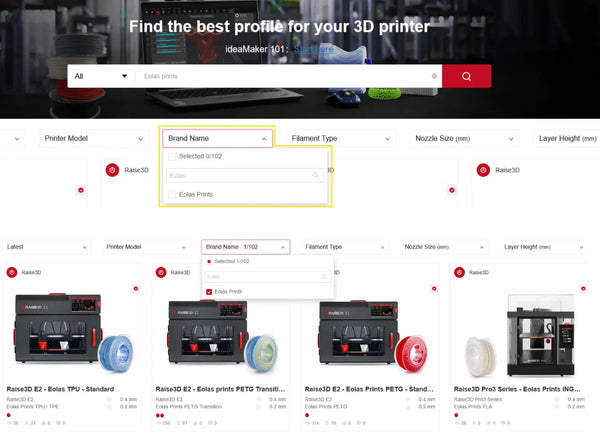
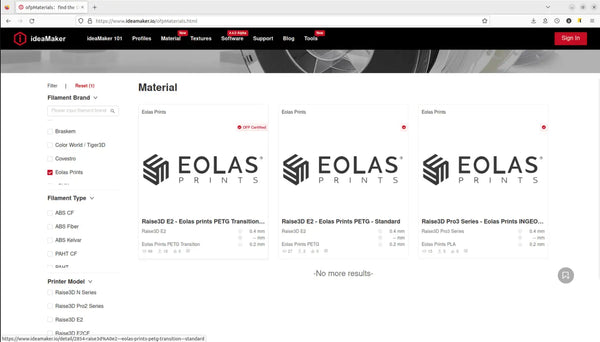
Once ideMaker is started, click on the "Library" box at the top, after clicking, a window opens in the web browser. With the help of the drop-down menu "Brand Name", search for Eolas Prints and select it.
Now only the Eolas Prints filaments are visible, choose one and click on it.
For this example, we have selected the PETG material.
In this new page we can see the main characteristics of this material, some pictures and the printing parameters.
To import this material to ideaMaker, click on "Import to ideaMaker". Follow the instructions and copy the link, then return to the slicer.
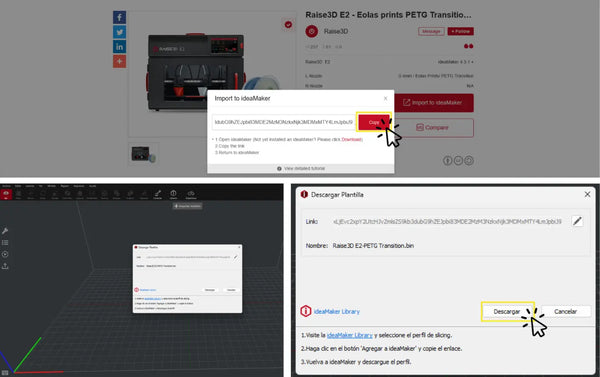
Once in ideaMaker, click on download. Then click on next to finish the installation.
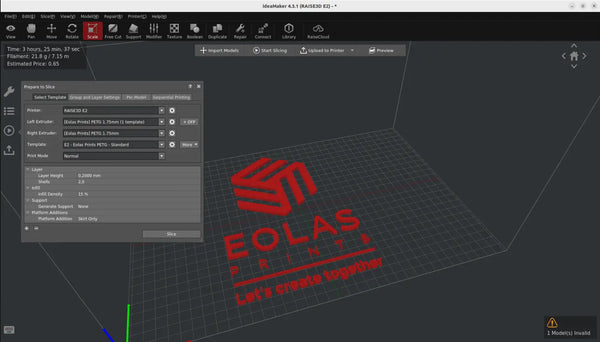
After accepting the above window, the profile for the selected material is now imported into the ideaMaker slicer. Now we can select it in the drop-down list of materials for later use.
More information about the Eolas Prints materials can be accessed through your web browser in the ideaMaker filament program section.
It is Raise3D's programme for third-party filament makers whose materials have been tested and approved for ideaMaker. As a partner, Eolas Prints publishes ready-made print profiles you can import directly into the slicer, so you don't have to configure settings from scratch.
Open ideaMaker, click Library, filter Brand Name to Eolas Prints, choose a material, click "Import to ideaMaker", then download and finish the install. The profile then appears in the materials drop-down.
The profiles are made for Raise3D printers running ideaMaker. On other machines you can still print our filaments — use the profile values as a starting point and fine-tune with a temperature tower and flow test.
The profile is a strong baseline. For the best results on your specific printer, we recommend a quick temperature and flow calibration — see our troubleshooting & calibration hub.
About the author
Sergio Peciña is a qualified Electrical & Electronics Engineer and Eolas Prints' Technical Design Engineer, with over 10 years of experience in 3D printing. He founded the maker spaces at the University of La Rioja and IDIVAL Santander. Every Eolas Prints filament is manufactured in-house in Cantabria, Spain, to ISO 9001 and ISO 14001 standards.
Shop the filaments these profiles are made for: PLA | PETG | TPU — ISO-certified, made in Spain. New to dialing in a material? See our troubleshooting & calibration hub.


